Custom Software vs Excel for Growing Businesses (2026)
Spreadsheet se scale karte business ke liye practical decision guide — kab Excel kaafi, kab software zaroori.

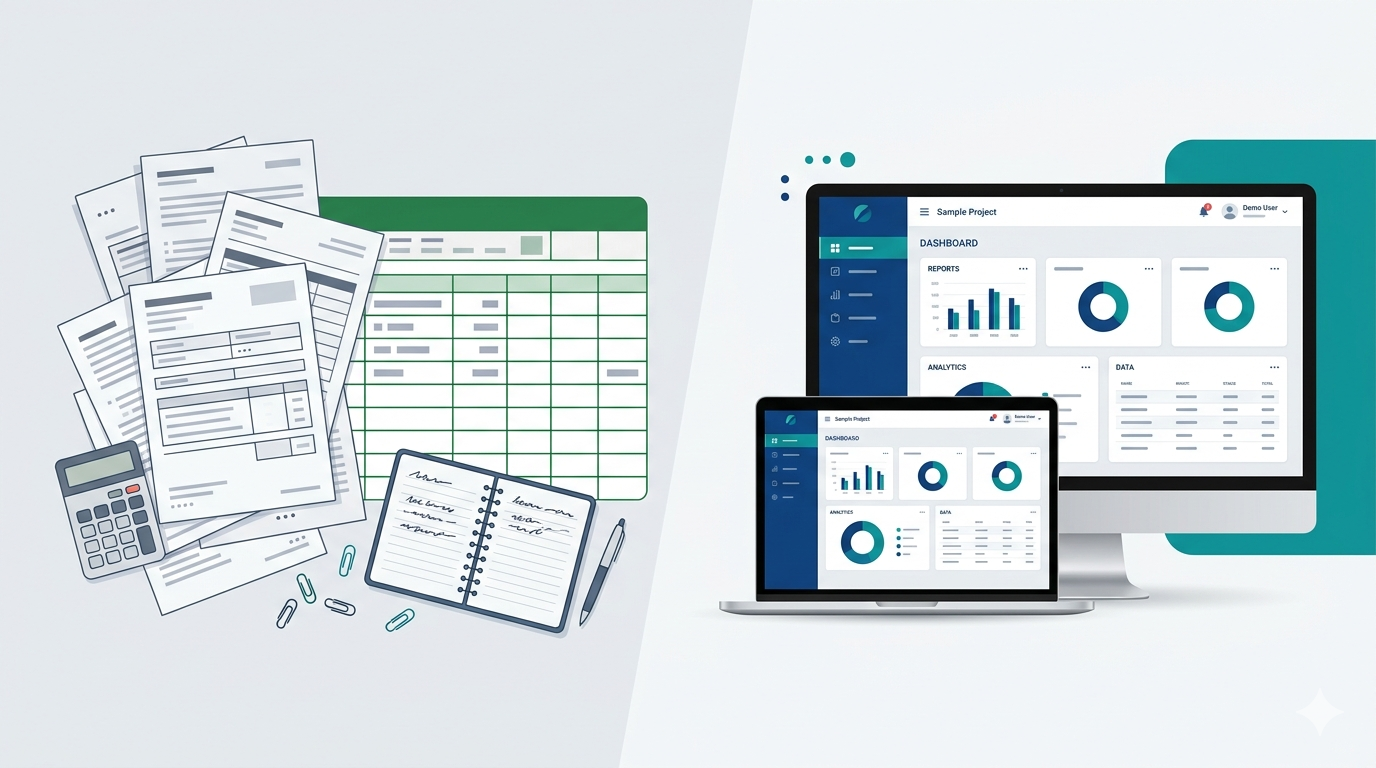
Bahut se growing businesses — retail, coaching, clinic, agency, wholesale — shuru Excel, Google Sheets, WhatsApp lists aur registers se karte hain. Ye sahi hai. Problem tab aati hai jab orders, staff aur customers badhte hain, lekin system wahi purana reh jata hai. Is guide mein custom software vs Excel ko technology ke ghamand se nahi, balki time, errors aur growth ke hisaab se samjhenge — taaki aap bina overspend kiye decide kar sako. Hum Web Developer Kashi par Varanasi aur India ke SMBs ke liye billing, inventory, CRM-style workflows aur industry tools banate hain.
Agar aap idea se software tak ka roadmap chahte ho, pehle business idea to custom software guide padho. Website + leads side ke liye website development aur field team ke liye mobile apps alag decisions hain — ye article mainly operations Excel vs custom software par focus hai.
1. Growing business mein Excel kab kaam aata hai
Excel / Sheets powerful tools hain. Early stage mein ye cheap, familiar aur fast hote hain. Rakhna sahi hai jab:
- 1–2 log hi daily data handle karte hain
- Volume low hai — din mein kuch invoices / entries
- Strict roles, audit trail ya multi-branch sync zaroori nahi
- Galatiyan rare hain aur unka financial impact chhota hai
- Aap “reporting” ke liye sheets use kar rahe ho, “live operations system” ke liye nahi
Matlab: Excel analysis tool ke roop mein hamesha useful reh sakta hai. Tension tab hoti hai jab Excel ban jata hai aapka primary ERP — stock, fees, leads, payroll, sab ek file mein.
2. Growth ke saath Excel / manual process kahan toot’te hain
- Version chaos: “final_v3_latest.xlsx” WhatsApp par — kaun si file sahi?
- Duplicate & missing data: same customer / SKU alag rows mein; stock mismatch.
- Formula & copy-paste errors: galat bill, galat commission, galat fee balance.
- No access control: pura sheet share ho jata hai; staff ko sirf zaruri columns nahi dikhte.
- Slow reports: owner meeting se pehle 2–3 ghante sheets jodta hai.
- Mobile / field pain: salesman ya branch pe live update mushkil.
- No history: kisne kab rate change kiya — clear trail nahi.
Ye symptoms growing stage ke “normal” lagte hain, lekin ye hidden cost hain: lost hours + lost trust + lost follow-ups.
3. Custom software vs Excel — side-by-side
| Area | Excel / Manual | Custom Software |
|---|---|---|
| Single source of truth | Files, registers, WhatsApp mix | Ek live database; sab same data dekhte hain |
| Access & roles | Limited; full file share risk | Staff / manager / admin roles |
| Automation | Macros partial; mostly manual | Reminders, PDF invoice, SMS/WhatsApp hooks, status flow |
| Errors | Formula + human entry common | Validation rules; required fields; duplicates block |
| Scale (branches / team) | Painful beyond small team | Designed for concurrent users |
| Mobile / remote | Awkward on phone | Web app + optional Flutter app |
| Upfront cost | Bahut low | Higher initially; time-saving long term |
| Fit to your process | Flexible but fragile | Aapke fee / stock / approval rules match |
4. Growing businesses ke clear signals — ab software socho
Agar neeche se 3 ya zyada true hain, custom software evaluation sensible hai:
- Team size: 3–5+ log daily same operational data touch karte hain
- Repeat work: har din / hafta same report, same entry pattern
- Customer speed: quote, invoice, fee receipt, order status “abhi” chahiye
- Money leaks: stock mismatch, unpaid dues track nahi, duplicate discounts
- Multi-location: do shops / branches / godown — sheets sync fail
- Integrations: UPI receipts, WhatsApp alerts, courier, accounting export chahiye
- Compliance / trust: “kisne change kiya” history zaroori
Local context ke liye: custom software development in Varanasi overview padho — industry examples aur process wahan milte hain.
5. Real examples: Excel se nikalne wale modules
- Retail / wholesale: SKU stock, purchase, sale invoice, low-stock alerts
- Coaching / school: fees, attendance, batches, parent WhatsApp reminders — related: school & coaching software guide
- Clinic: appointments, billing, follow-ups — clinic management software
- Agency / services: lead CRM, quotations, project status, invoice
- Used-car / dealership: yard stock, VIN holds, CRM follow-ups — used car dealership software guide
- Manufacturing light: job cards, raw material, finished goods movement
- Guest house / hotel: bookings & occupancy — booking software
Important: sab kuch ek saath mat banao. Growing business ke liye best approach ek MVP module hai — jo sabse zyada time / money waste karta hai, pehle usko digital karo.
6. Ready-made software vs custom build
Excel aur full custom ke beech ready-made SaaS / packaged tools aate hain.
- Ready-made choose karo jab process standard ho, budget tight ho, aur aap tool ke rules accept kar sakte ho.
- Custom choose karo jab aapka workflow unique hai — complex fee slabs, multi-seller logic, custom approvals, niche industry steps — aur ready-made “almost fit” hoke daily friction ban raha hai.
Custom ka matlab hamesha “bada ERP” nahi. Matlab: aapke steps, aapke reports, aapke roles — bina process todhe. Idea → MVP roadmap: practical build guide.
7. Cost mindset: “Excel free” vs real ROI
Excel ka license sasta lagta hai. Real cost ye hai:
- Har week kitne staff hours sheets mein jate hain?
- Kitni galat bills / stock disputes / missed fee collections hote hain?
- Owner kitna time “system” banane mein nikalta hai jo sales / quality mein jaana chahiye?
Custom software ka clear project fee ya phased payment hota hai. Kai Varanasi / India SMBs dekhtte hain ki billing + inventory + customer records pe focused system 12–24 months mein staff-time aur error reduction se payback karta hai — exact number aapke volume par depend karta hai. Honest quote ke liye contact par apni sheets / flow share karo.
8. Excel se software migrate — chaos ke bina
- Pain list: top 5 tasks jo time / errors dete hain
- One module first: billing ya inventory ya CRM — dono mat mix karo day one
- Define “done”: kaunse screens, reports, roles day-1 pe zaroori
- Clean data: duplicates, old columns, inconsistent names — import se pehle saaf
- Parallel run short: 1–2 weeks Excel backup; permanent double entry mat chhodna
- Train short: 30–60 min role-wise; written cheat-sheet
- Expand: pehla module stable, phir next
Tech side commonly Laravel web panel + optional mobile — aapke stack goals ke hisaab se. Website public face alag rakh sakte ho (web design services); operations software andar chalta hai.
9. Security: Excel laptop vs proper software
Ek unprotected spreadsheet ek PC / shared Drive par — loss, ransomware, ya ex-staff access ka risk hota hai. Theek se banaya custom software: login roles, HTTPS, backups, hosting hygiene. Perfect “hacking-proof” koi system claim nahi karta, lekin controlled access + backup aksar Excel-on-laptop se safer operational baseline hai. Launch ke baad maintenance bhi socho — website side ke liye AMC guide useful pattern hai; software ke liye bhi support / updates plan karo.

FAQs — Custom software vs Excel
Growing business owners ke common doubts.

WhatsApp, email or a call — pick what is easy.
Conclusion
Custom software vs Excel for growing businesses — ye fashion choice nahi, cost decision hai. Jab sheets sasti padti hain, Excel rakho. Jab team, errors aur delays mehengi padne lagen, ek focused custom module socho — pura empire day one par mat. Varanasi / nearby ho aur honest assessment chahiye, hum process dekh kar bata denge: Excel continue, ready-made, ya custom MVP.
"Excel tab tak theek hai jab tak woh tool hai. Jab woh aapka poora business system ban jaye — growth usi jagah atak’ti hai."
Contact Web Developer Kashi ya WhatsApp +91-9696726607 — free consultation on custom software development (Excel-heavy processes → billing, inventory, CRM & more).