What Features a New Business Website Must Have Before Day One (2026)


A new business does not fail because the website lacked 40 pages. It fails because the first version went live without answering three basic questions: What do you sell? Why trust you? How do I contact you right now?
If you are launching a startup, shop, clinic, coaching centre, guest house, or service brand, day one is not about perfection. It is about a minimum set of features that make the website usable for real customers — especially on mobile.
At Web Developer Kashi (Sigra, Varanasi), we help founders avoid a common trap: spending weeks on colours and animations, then forgetting call buttons, forms, and clear offers. This guide lists what your website must include before launch — and what can safely wait.
If a stranger lands on your homepage for the first time, they should understand your offer and reach you in under 30 seconds — no hunting through the menu.
1. A clear offer on the first screen
Your hero section is not decoration. It is your sales pitch.
Must include:
- Who you help (local tourists, parents, shoppers, patients, founders)
- What you offer in one plain sentence
- Where you operate (city / area helps local trust)
- One primary action (Call / WhatsApp / Book / Get Quote)
Weak: “Welcome to our innovative journey of excellence.”
Strong: “AC guest rooms near BHU — WhatsApp to check today’s availability.”
If the first screen needs explanation, rewrite it before you add more pages.
2. Mobile-first layout (not “desktop then squeeze”)
Most new Indian traffic arrives on phones. Day one must feel native on a small screen:
- Readable text without zooming
- Buttons large enough to tap with a thumb
- No horizontal scrolling
- Menu that opens and closes cleanly
Test on a real 4G phone before you announce the launch. Emulators miss half the friction.
3. Call and WhatsApp — always visible
For local startups and SMBs, WhatsApp is often the real CRM. Day one must have:
- Click-to-call using your business number
- WhatsApp link with a short pre-filled message
- Sticky contact bar on mobile (footer buttons work well)
- Same number shown in header, contact page, and Google listing
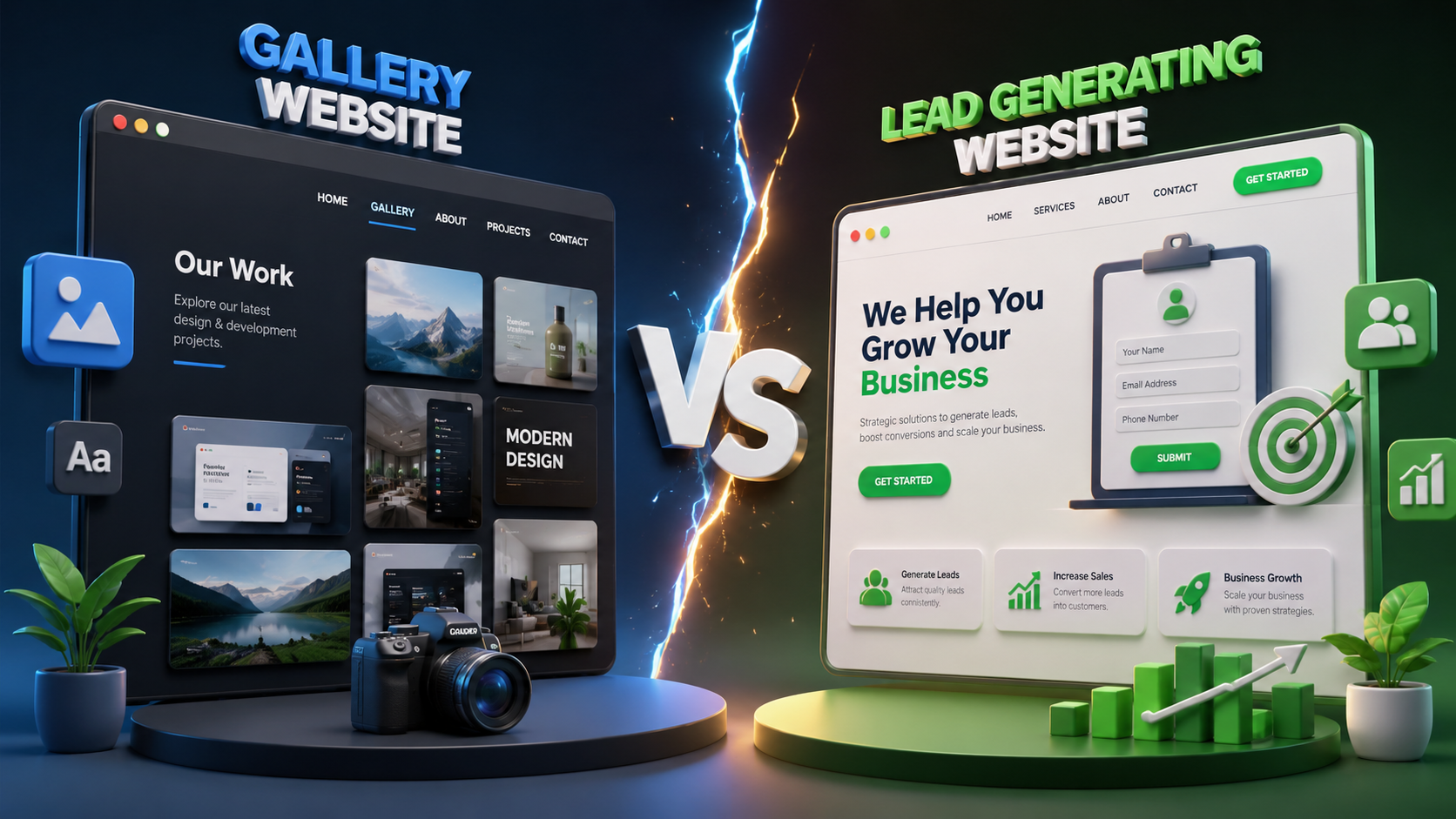
A beautiful site with a buried contact page still loses to an average site with a sticky WhatsApp button. Related read: gallery website vs lead-generating website.
4. A short enquiry form that actually works
Keep day-one forms tiny:
- Name
- Phone
- Message (or service needed)
Then verify delivery: email notification, WhatsApp alert to the owner, or both. Broken forms are worse than no form — people think they contacted you when they did not.
Optional: add a “preferred time to call” field only if your service truly needs scheduling.
5. Trust signals — even if you are new
Startups often say, “We have no big clients yet.” That is fine. Day one still needs credibility cues:
- Founder photo + short “why we started” story
- Clear address or service area
- Process steps (“Enquire → Confirm → Deliver”)
- Any early testimonials, even from pilot users
- Policy snippets: cancellation, response time, delivery area
You do not need fake “5000 happy customers” counters. Honest context builds more trust than inflated numbers.
6. Services / products explained simply
Visitors should not dig through a PDF. Day one pages should answer:
- What is included
- Who it is for
- What happens next after enquiry
- Rough pricing range — or “WhatsApp for today’s rate” when prices move daily
Three clear service cards beat fifteen vague buzzwords.
7. Fast loading and clean images
Speed is a feature. Before launch:
- Compress every photo
- Avoid autoplay heavy videos on the homepage
- Lazy-load below-the-fold images
- Host on reliable hosting with HTTPS/SSL
If the homepage takes more than a few seconds on mid-range Android, fix that before you buy ads.
8. Accurate contact + map details
Day one contact block must include:
- Business name (same spelling everywhere)
- Phone / WhatsApp
- Email that someone actually reads
- Address or “serving X areas” if fully online
- Google Map embed when you have a physical location
Mismatch between website and Google Business Profile confuses customers and hurts local discovery.
9. Basic SEO structure (not keyword spam)
You do not need a full SEO campaign on day one. You do need foundations:
- Unique title and meta description for each page
- One clear H1 per page
- City / service language in natural sentences
- Alt text on key images
- Working internal links between Home, Services, Contact
This is enough for search engines to understand a new site. Content blogs can grow later.
10. Legal basics and privacy comfort
Even a small launch looks more professional with:
- Privacy / data use note near forms (how you use phone numbers)
- Terms or cancellation notes for bookings / prepaid services
- Correct copyright year and business identity in footer
Keep pages short. The goal is trust, not legal theatre.
What can wait until after day one
Do not block launch for these:
- Complex membership portals
- Full multi-vendor marketplace
- AI chatbot (nice later, not required to open)
- Custom animated illustrations everywhere
- Twenty blog posts and a resource centre
- Native mobile app (start with a solid website first)
Launch lean. Measure what customers ask for. Then add software features with purpose — see also business idea to custom software guide.
Day-one page checklist (practical)
| Page | Job on day one |
|---|---|
| Home | Offer + CTA + trust in one view |
| Services / Products | What you sell, who it is for, next step |
| About | Who runs this and why they should trust you |
| Contact | Phone, WhatsApp, form, map, hours |
| Proof page | Portfolio, rooms, menu, or early results |
Five pages done well beat fifteen pages half-finished.
Pre-launch test (do this the evening before)
- Open the site on mobile data — not office Wi-Fi.
- Tap Call and WhatsApp — both must open correctly.
- Submit a test enquiry — confirm you received it.
- Ask one non-technical friend what the business does in one sentence.
- Check SSL (HTTPS) and that old placeholder content is gone.
FAQs — Day-one website features
Quick answers to common questions. Still need help? We’re just a message away.

WhatsApp, email or a call — pick what is easy.
Conclusion
Day one is not the finish line. It is the first public promise your business makes online.
If your website clearly states the offer, loads fast on mobile, shows enough trust, and makes calling or messaging effortless — you are ready to launch. Everything else is iteration.
Ship the essentials. Learn from real enquiries. Improve weekly. That is how new business websites in Varanasi and across India actually start working.
“Launch with clarity, not complexity.”
Get a free consultation · WhatsApp +91 96967 26607 · Website development services