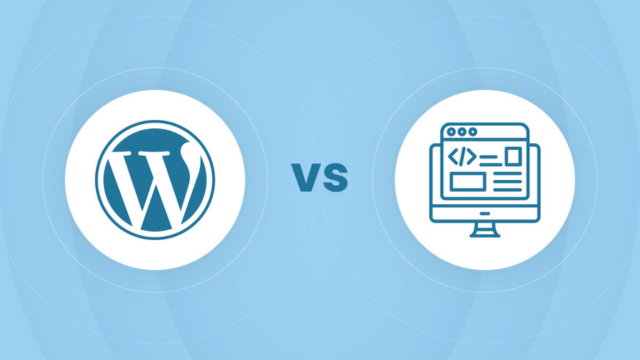
WordPress vs Custom Development: Which is Better for Your Business?

Ek client ne mujhe call kiya — unhein website chahiye thi aur unhone poocha: "WordPress use karein ya custom development? Kya difference hai aur kaunsa better hai?" Ye question har business owner ke dimaag mein aata hai jab wo website banwane ki sochte hain.
WordPress aur Custom Development dono ke apne advantages aur disadvantages hain. Is blog mein main aapko detail mein samjhaunga ki kaunsa option aapke business ke liye sahi hai, cost comparison, aur real-world examples ke saath.
Pehle samajhte hain ki dono mein kya difference hai, phir aap khud decide kar sakte hain ki aapke liye kaunsa better hai.
WordPress Kya Hai?
WordPress ek Content Management System (CMS) hai jo 40% se zyada websites power karta hai. Ye ek ready-made platform hai jismein aap themes aur plugins install karke quickly website bana sakte hain. Technical knowledge ki zaroorat kam hoti hai.
WordPress ke features:
- Ready-made themes aur templates
- Plugins se features add kar sakte hain
- User-friendly admin panel
- Quick setup aur deployment
- Large community support
Custom Development Kya Hai?
Custom development matlab hai ki aapki website scratch se code karke banayi jati hai. Ye ek blank slate hai jahan developer ko har feature manually code karna padta hai. Ye approach complete control deta hai lekin zyada time aur cost lagta hai.
Custom development ke features:
- 100% unique design aur functionality
- Complete control over code
- No dependency on plugins
- Optimized performance
- Scalable architecture
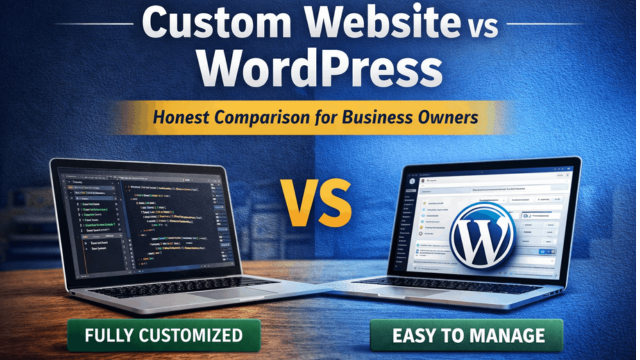
WordPress vs Custom Development: Complete Comparison
1. Cost Comparison
Ye sabse important factor hai jo har business owner ko consider karna chahiye.
WordPress Cost:
- Basic website: ₹15,000 - ₹40,000
- E-commerce website: ₹40,000 - ₹1,50,000
- Premium themes: ₹5,000 - ₹15,000 (one-time)
- Plugins: Free ya ₹2,000 - ₹10,000/year
- Maintenance: ₹2,000 - ₹5,000/month
Custom Development Cost:
- Basic website: ₹50,000 - ₹2,00,000
- E-commerce website: ₹1,50,000 - ₹5,00,000+
- Custom features: Additional cost
- No theme/plugin cost
- Maintenance: ₹5,000 - ₹15,000/month
Winner: WordPress (budget-friendly hai)
2. Development Time
Time bhi ek important factor hai, especially agar aapko jaldi website chahiye.
WordPress: 1-3 weeks (basic website), 3-6 weeks (e-commerce)
Custom Development: 4-8 weeks (basic website), 8-16 weeks (e-commerce)
Winner: WordPress (faster deployment)
3. Customization aur Flexibility
Agar aapko unique features chahiye ya specific requirements hain, toh customization important hai.
WordPress:
- Themes aur plugins ke limitations
- Custom features ke liye coding zaroori
- Plugin conflicts ho sakte hain
- Design flexibility limited hai
Custom Development:
- Unlimited customization
- Koi bhi feature add kar sakte hain
- No plugin dependencies
- Complete design freedom
Winner: Custom Development (better flexibility)
4. Performance aur Speed
Website ki speed SEO aur user experience dono ke liye important hai.
WordPress:
- Plugins se slow ho sakta hai
- Optimization plugins zaroori hain
- Database queries zyada ho sakte hain
- Average loading time: 2-4 seconds
Custom Development:
- Optimized code se fast
- Minimal database queries
- Better caching implementation
- Average loading time: 1-2 seconds
Winner: Custom Development (better performance)
5. Security
Security har website ke liye critical hai, especially agar aapke paas customer data hai.
WordPress:
- Popular platform hai, isliye hackers ka target
- Plugins vulnerabilities ho sakti hain
- Regular updates zaroori hain
- Security plugins install karni padti hain
Custom Development:
- Less popular, isliye kam target
- Custom security implementation
- No plugin vulnerabilities
- Better control over security
Winner: Custom Development (better security control)
6. SEO Friendliness
Google ranking ke liye SEO important hai.
WordPress:
- SEO plugins available (Yoast, RankMath)
- Clean URL structure
- Meta tags management easy
- But plugin dependency hai
Custom Development:
- Complete SEO control
- Custom meta tags implementation
- Schema markup easily add kar sakte hain
- No plugin dependency
Winner: Tie (dono SEO-friendly hain, lekin custom mein zyada control hai)
7. Maintenance aur Updates
Long-term mein maintenance cost consider karna zaroori hai.
WordPress:
- Regular WordPress updates
- Plugin updates zaroori
- Theme updates
- Plugin conflicts resolve karni pad sakti hain
- Monthly maintenance: ₹2,000 - ₹5,000
Custom Development:
- Framework updates
- Security patches
- Feature additions
- Less maintenance issues
- Monthly maintenance: ₹5,000 - ₹15,000
Winner: WordPress (less maintenance, but custom mein zyada stability)
Kaunsa Choose Karein? Decision Guide
WordPress Choose Karein Agar:
- ✅ Budget limited hai (₹50,000 se kam)
- ✅ Jaldi website chahiye (1-2 weeks mein)
- ✅ Simple website chahiye (blog, portfolio, small business)
- ✅ Technical knowledge kam hai
- ✅ Standard features chahiye (contact form, blog, gallery)
- ✅ E-commerce hai but basic (50-100 products)
Custom Development Choose Karein Agar:
- ✅ Unique features chahiye
- ✅ High performance chahiye
- ✅ Complex business logic hai
- ✅ Scalability important hai
- ✅ Security priority hai
- ✅ Long-term investment soch rahe hain
- ✅ Budget flexible hai (₹1,00,000+)
Real-World Examples
Example 1: Small Business Website
Ek Varanasi-based restaurant owner ko website chahiye thi — menu display, contact form, location map. Unhone WordPress choose kiya kyunki:
- Budget ₹30,000 tha
- 2 weeks mein chahiye thi
- Simple features the
Result: Website 2 weeks mein ready ho gayi, cost-effective raha, aur client satisfied hai.
Example 2: E-commerce Platform
Ek Varanasi-based electronics store ko custom e-commerce chahiye thi — inventory management, multi-vendor support, custom payment flow. Unhone Custom Development choose kiya kyunki:
- Unique features chahiye the
- High performance zaroori thi
- Scalability important thi
- Budget ₹3,00,000 tha
Result: Custom platform banaya, 3 months mein launch hua, aur ab 1000+ products handle kar raha hai smoothly.
Common Myths Busted
Myth 1: "WordPress Slow Hai"
Reality: WordPress properly optimized ho to fast ho sakta hai. Slow hone ka reason zyada plugins ya poor hosting hota hai, WordPress platform nahi.
Myth 2: "Custom Development Always Better Hai"
Reality: Nahi, agar aapko simple website chahiye toh WordPress better hai. Custom development sirf tab zaroori hai jab unique requirements hain.
Myth 3: "WordPress SEO-Friendly Nahi Hai"
Reality: WordPress SEO-friendly hai. Properly configured WordPress site Google mein rank kar sakta hai. Custom development mein zyada control hai, lekin WordPress bhi effective hai.
Hybrid Approach: Best of Both Worlds
Kuch cases mein hybrid approach best hota hai — WordPress base use karein but custom features add karein. Isse cost bhi kam rahega aur flexibility bhi milegi.
Example: WordPress website lekin custom booking system, custom payment gateway integration, ya custom dashboard.
Final Verdict
Dono options ke apne advantages hain. Agar aapko simple website chahiye, budget kam hai, aur jaldi chahiye — WordPress choose karein.
Agar aapko unique features chahiye, high performance zaroori hai, aur long-term investment soch rahe hain — Custom Development choose karein.
Remember: Right tool choose karna important hai. Wrong choice se time, money, aur effort waste ho sakta hai.
Conclusion
WordPress aur Custom Development dono valid options hain, lekin aapke business requirements ke according choose karna zaroori hai. Agar confusion hai, toh expert se consultation lein.
Need help deciding? Web Developer Kashi mein hum dono WordPress aur Custom Development services dete hain. Aapke requirements ke according best solution suggest karte hain.
WhatsApp par connect karein ya contact page se inquiry bhejein. Free consultation available hai.