WhatsApp Enquiry Website for Local Businesses in Varanasi (2026)
Turn Google visitors into WhatsApp chats — CTAs, pre-filled messages, mobile pages and local trust.

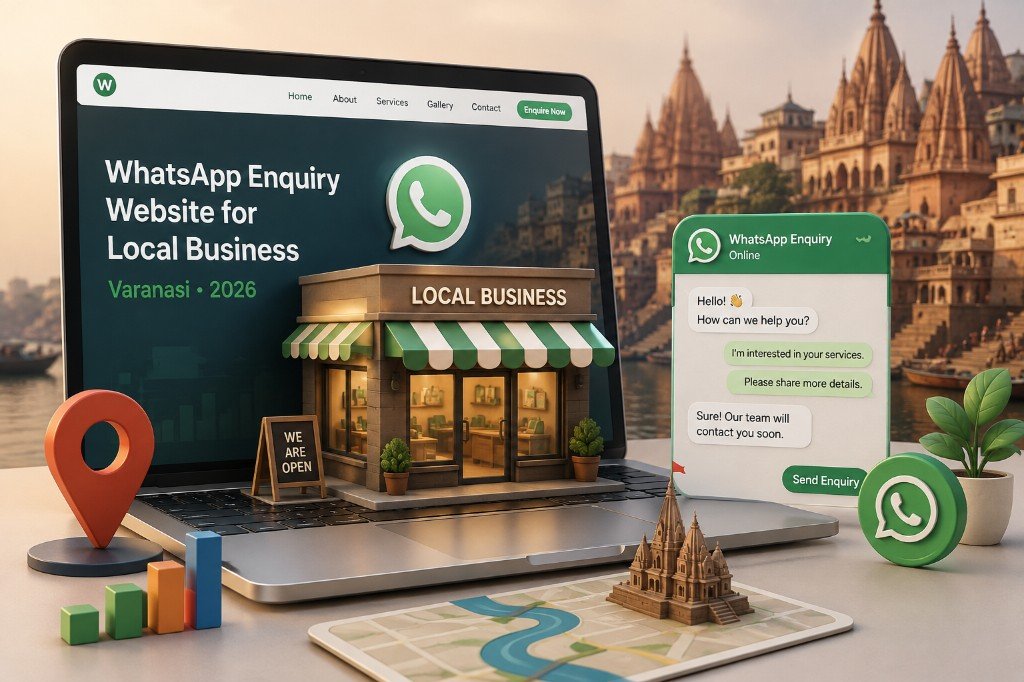
In Varanasi, customers rarely fill long forms first. They search on Google, check photos and reviews, then ask on WhatsApp: price, availability, timing, “abhi open hai?”. A smart local website should respect that habit — not fight it with only email forms and “Contact Us” pages.
A WhatsApp enquiry website is built so every serious visitor can start a chat in one tap, with enough context that your reply is useful. This guide shows how shops, clinics, hotels, coaches, contractors and service businesses in Varanasi can design that flow in 2026.
Related: Website development services · First 10 website enquiries · Gallery vs lead-generating website · Website but no leads
1. What is a WhatsApp enquiry website?
It is still a real business website — services, photos, location, trust — but the main conversion action is chat on WhatsApp, not only “submit form and wait”.
- Clear offer on the homepage (what you sell + for whom)
- Visible WhatsApp and Call buttons on mobile
- Pre-filled chat messages (“I need a quote for…”)
- Service pages that answer common questions before the chat
- Google Maps / address matching your Google Business Profile
- Optional short form for customers who prefer email
The goal is simple: Google brings the stranger. Your site builds trust. WhatsApp starts the sale.
2. Why this works so well in Varanasi
Local buying behaviour here is mobile-first and conversation-first:
- People compare 2–3 options on Maps, then message the one that feels clear
- Price and availability change — chat is faster than waiting for email
- Photos of work, rooms, products or packages reduce fear
- Hinglish messages feel natural for many customers
- Owners already live on WhatsApp — reply speed can become your advantage
If your website only shows a gallery with no chat path, you lose the moment. If you only share a WhatsApp number on Instagram with no site, you miss Google traffic. The winning setup is both.
3. Must-have features for a WhatsApp lead website
| Feature | Why it matters |
|---|---|
| Sticky WhatsApp button | Always available on mobile while scrolling. |
| Hero CTA: WhatsApp + Call | First screen should offer action, not only a slogan. |
| Pre-filled message links | Customer sends service name / area / date automatically. |
| Service-wise CTAs | “Ask price on WhatsApp” next to each package or service. |
| Fast mobile pages | Slow sites kill chat intent before the button is tapped. |
| Proof strip | Reviews, years, project count, or photos of real work. |
| Correct NAP | Name, address, phone same as Google Business Profile. |
| Business hours | Reduce “are you open?” chats and missed expectations. |
4. Pre-filled WhatsApp messages that convert better
A blank chat forces the customer to think. A prepared message helps them start — and helps you qualify faster.
Examples:
- “Hi, I saw your website. I need a quote for [service] in [area].”
- “Hi, I want to check room availability for [date].”
- “Hi, please share fees / package details for [course / treatment].”
- “Hi, I need website development for my business in Varanasi.”
Use different pre-filled texts on different pages (home, pricing, contact). Track which page sends more chats — even a simple UTM or page-name tag in the message helps.
5. Page structure that gets enquiries
For most Varanasi local businesses, these pages are enough to start:
- Home: offer, trust, WhatsApp CTA, top services
- Services / Packages: clear list + “Ask on WhatsApp”
- Gallery / Work: real photos, not only stock images
- About: who you are, why local customers trust you
- Contact: map, phone, WhatsApp, hours, short form
Avoid stuffing the first screen with every detail. One clear promise + one clear action beats a long brochure. More on that in our gallery vs lead-generating website guide.
6. WhatsApp button alone is not a strategy
Many sites add a green floating icon and stop. Leads still stay low because:
- Offer is unclear — visitor does not know what to ask
- No price range or package framing — fear of “too expensive”
- No proof — no reviews, no real photos
- Wrong number or personal number chaos across staff
- Slow replies after 9 PM with no auto-reply / hours note
- Site is slow or broken on Android Chrome
Fix the message and trust first. Then the WhatsApp button becomes a conversion tool, not decoration.
7. Click-to-chat vs WhatsApp Business API
| Approach | Best for |
|---|---|
| Click-to-chat links (wa.me) | Most local SMBs — shops, clinics, coaches, hotels — start here. |
| WhatsApp Business app | Labels, quick replies, catalog, away messages. |
| WhatsApp Business API | Higher volume, multi-agent inbox, abandoned cart, automated reminders. |
Do not jump to API on day one unless volume justifies it. A clean website + Business app + fast human reply still beats a complex automation setup that nobody monitors. Ecommerce brands that need cart recovery can later explore API flows — see our WhatsApp cart recovery guide.
8. Align website + Google Business Profile
Local search often starts on Maps. Your website and profile should tell the same story:
- Same business name, phone and address
- Same categories and service areas (Sigra, Lanka, BHU, Cantt, etc. where relevant)
- Website button + WhatsApp / messaging options consistent
- Fresh photos on both places
- Reviews replied to professionally
More detail: Google Business Profile guide for Varanasi and local SEO basics on your service pages.
9. Industry examples in Varanasi
- Clinic / doctor: “Book appointment on WhatsApp” + hours + map
- Hotel / guest house: dates + room type pre-filled message
- Coaching: course name + batch enquiry CTA
- Wedding / event: date + venue + package ask
- Handloom / retail: product photo page + “Ask price on WhatsApp”
- Contractor / service: area + job type + site visit request
10. How Web Developer Kashi builds these sites
At Web Developer Kashi (Sigra, Varanasi), we build conversion-focused business websites for local owners who already sell on WhatsApp — and want Google traffic to feed that same chat.
- Mobile-first layout with WhatsApp + Call CTAs
- Pre-filled enquiry links by service
- Clear service and proof sections
- Fast loading and SEO-ready structure
- Optional enquiry form + thank-you tracking
- Portfolio and case-style pages when needed
If your current site looks fine but chats are rare, start with a conversion audit — often the fix is CTA placement and message clarity, not a full redesign. Related checklist: how to get your first 10 website enquiries.
Frequently asked questions
Quick answers to common questions. Still need help? We’re just a message away.

WhatsApp, email or a call — pick what is easy.
Conclusion
A WhatsApp enquiry website for local businesses in Varanasi matches how customers already buy: search, check trust, then chat. Build clear offers, put WhatsApp where decisions happen, use pre-filled messages, keep pages fast, and reply quickly. That combination turns quiet traffic into daily enquiries.