Website Security: 10 Essential Steps to Protect Your Site (2026 Guide)

Aapne dekha hoga ki aajkal har din kisi na kisi website ko hack kar diya jaata hai. Ek din ek client ne mujhe call kiya — unki e-commerce website hack ho gayi thi aur unke 500+ customer records chori ho gaye the. Uske baad unhein ₹2 lakh ka loss hua. Ye sirf ek example hai.
Website security aaj ke time mein zaroori hai, chahe aapki website chhoti ho ya badi. Agar aap sochte hain ki "mere paas toh kuch important data nahi hai", toh sochiye — aapke customer details, payment information, ya even aapki website ki reputation bhi hackers ka target ho sakti hai.
Is blog mein main aapko 10 practical steps bataunga jo aapko abhi se implement karni chahiye. Ye steps simple hain aur koi bhi follow kar sakta hai — technical knowledge ki zaroorat nahi hai.
Kyun Website Security Important Hai?
Pehle samajhte hain ki kyun ye itna zaroori hai:
- Data Protection: Aapke customer ka personal data safe rahe
- Financial Loss Prevention: Hackers aapke payment gateway ko target kar sakte hain
- SEO Impact: Google hacked websites ko blacklist kar deta hai
- Customer Trust: Ek baar hack hone ke baad customers ka trust kam ho jata hai
- Legal Issues: Data breach ke case mein legal problems ho sakti hain
10 Essential Steps to Protect Your Website
1. Strong Passwords Use Karein (Aur Regularly Change Karein)
Ye sabse basic step hai, lekin log isko ignore karte hain. Maine dekha hai ki log "password123" ya "admin123" jaise simple passwords use karte hain. Ye bilkul galat hai.
Kya karein:
- Minimum 12 characters ka password use karein
- Uppercase, lowercase, numbers, aur special characters mix karein
- Har 3 months mein password change karein
- Har account ke liye different password use karein
- Password manager use karein (jaise LastPass, 1Password)
Example: "MyShop@2026#Secure" is better than "myshop123"
2. SSL Certificate Install Karein (HTTPS)
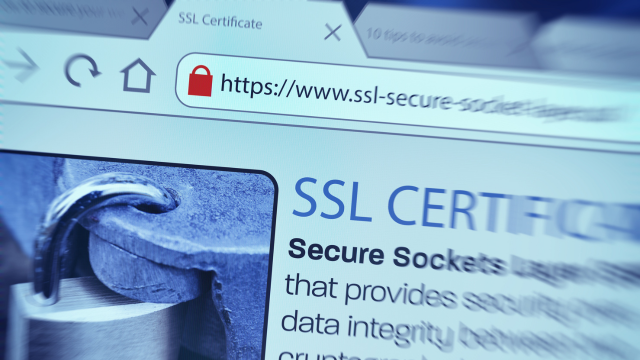
Agar aapki website mein "http://" dikh raha hai instead of "https://", toh ye red flag hai. SSL certificate install karke aapki website secure ho jati hai aur data encrypted transfer hota hai.
Benefits:
- ✅ Google ranking mein improvement (HTTPS ranking factor hai)
- ✅ Customer trust badhta hai (browser mein padlock icon dikhta hai)
- ✅ Payment gateway integration ke liye zaroori hai
- ✅ Data encryption — hackers data intercept nahi kar sakte
Cost: Free SSL certificates available hain (Let's Encrypt). Ya ₹500-2000/year mein premium SSL le sakte hain.
3. Regular Backups Leni Zaroori Hai
Maine dekha hai ki log backup ko ignore karte hain jab tak kuch problem nahi hoti. Lekin jab problem aati hai, tab pata chalta hai ki backup kitna important hai.
Backup strategy:
- Daily automatic backups setup karein
- Backup ko cloud storage mein store karein (Google Drive, AWS, etc.)
- Monthly backup ko test karein ki restore properly ho raha hai ya nahi
- Minimum 30 days ka backup history rakhein
Tools: UpdraftPlus (WordPress), cPanel Backup, ya manual database backup.
4. Software aur Plugins Ko Update Rakhein
Outdated software hackers ka favorite target hota hai. Agar aap WordPress use kar rahe hain aur aapne 2 saal se update nahi kiya, toh aapki website vulnerable hai.
Kya karein:
- CMS (WordPress, Laravel, etc.) ko latest version mein update karein
- Saare plugins aur themes ko update karein
- Unused plugins ko delete karein (ye security risk hain)
- Update se pehle backup zaroor lein
Pro Tip: Staging environment mein pehle test karein, phir production mein deploy karein.
5. Web Application Firewall (WAF) Install Karein
WAF ek security layer hai jo malicious traffic ko block karta hai before wo aapki website tak pahuche. Ye aapki website ko DDoS attacks, SQL injection, aur other threats se protect karta hai.
Popular WAF Solutions:
- Cloudflare (Free plan available)
- Sucuri
- Wordfence (WordPress ke liye)
- AWS WAF
Cost: Free options available hain, premium plans ₹500-5000/month.
6. Admin Panel Ko Secure Karein
Admin panel aapki website ka sabse sensitive part hai. Isko secure karna zaroori hai.
Security measures:
- Default admin URL ko change karein (wp-admin ko custom URL mein change)
- Two-factor authentication (2FA) enable karein
- IP whitelisting karein (sirf trusted IPs se access allow)
- Login attempts limit karein (brute force attacks se bachne ke liye)
- Admin username ko "admin" se change karein
7. File Upload Security
Agar aapki website mein file upload feature hai, toh ye ek major security risk ho sakta hai. Hackers malicious files upload karke aapki website ko hack kar sakte hain.
Protection steps:
- File type validation karein (sirf allowed extensions allow)
- File size limit set karein
- Uploaded files ko scan karein antivirus se
- Uploaded files ko restricted directory mein store karein
- Direct file execution disable karein
8. Database Security
Database mein aapka sabse important data hota hai — customer details, orders, passwords (hashed), etc. Isko secure karna zaroori hai.
Database security tips:
- Database user ko minimum permissions dein (sirf zaroori access)
- Database password strong rakhein
- SQL injection attacks se bachne ke liye prepared statements use karein
- Regular database backups lein
- Database ko public access se block karein

9. Error Messages Ko Hide Karein
Development mode mein detailed error messages helpful hote hain, lekin production mein ye hackers ko information de sakte hain. Error messages mein database structure, file paths, ya other sensitive info dikh sakta hai.
Kya karein:
- Production mode mein generic error messages show karein
- Detailed errors ko log files mein store karein (users ko nahi dikhayein)
- PHP errors ko hide karein (display_errors = Off)
10. Regular Security Audits aur Monitoring
Security ek one-time task nahi hai — ye continuous process hai. Regular monitoring aur audits zaroori hain.
Monitoring checklist:
- Weekly security scans run karein
- Failed login attempts ko monitor karein
- File changes ko track karein (unexpected file changes suspicious ho sakte hain)
- Uptime monitoring setup karein (website down hone par alert)
- Google Search Console mein security issues check karein
Tools: Sucuri, Wordfence, Google Search Console, UptimeRobot (free).
Real-World Example: Ek Client Ki Story
Ek Varanasi-based e-commerce client ki website hack ho gayi thi. Unhone basic security measures ignore kiye the — weak password, no SSL, outdated WordPress. Hackers ne unki website mein malicious code inject kar diya aur Google ne unki website ko blacklist kar diya.
Result: 2 hafte tak unki website down rahi, ₹50,000+ ka loss, aur customer trust kam ho gaya.
Solution: Humne unki website ko secure kiya — SSL install, strong passwords, WAF setup, regular backups, aur security monitoring. Ab 6 mahine se unki website secure hai aur koi issue nahi aaya.
Quick Security Checklist
Ye checklist print karke apne paas rakhein:
- ☐ Strong passwords set kiye hain
- ☐ SSL certificate installed hai
- ☐ Regular backups setup kiye hain
- ☐ Software updated hai
- ☐ WAF installed hai
- ☐ Admin panel secure hai
- ☐ File upload security implemented hai
- ☐ Database secure hai
- ☐ Error messages hide kiye hain
- ☐ Security monitoring setup hai
Common Security Mistakes Jo Avoid Karein
- ❌ "Security baad mein dekhenge" — ye galat approach hai
- ❌ Same password multiple accounts mein use karna
- ❌ Free themes/plugins download karna untrusted sources se
- ❌ Security ko "technical thing" samajhkar ignore karna
- ❌ Backup ko test nahi karna
Conclusion
Website security ek investment hai, cost nahi. Agar aap abhi se security measures implement karte hain, toh future mein bade problems se bach sakte hain. Ye steps follow karke aap apni website ko 90% se zyada secure kar sakte hain.
Remember: Security ek one-time setup nahi hai — ye continuous process hai. Regular monitoring aur updates zaroori hain.
Need help securing your website? Web Developer Kashi mein hum website security audits aur implementation services dete hain. WhatsApp par connect karein ya contact page se inquiry bhejein.